

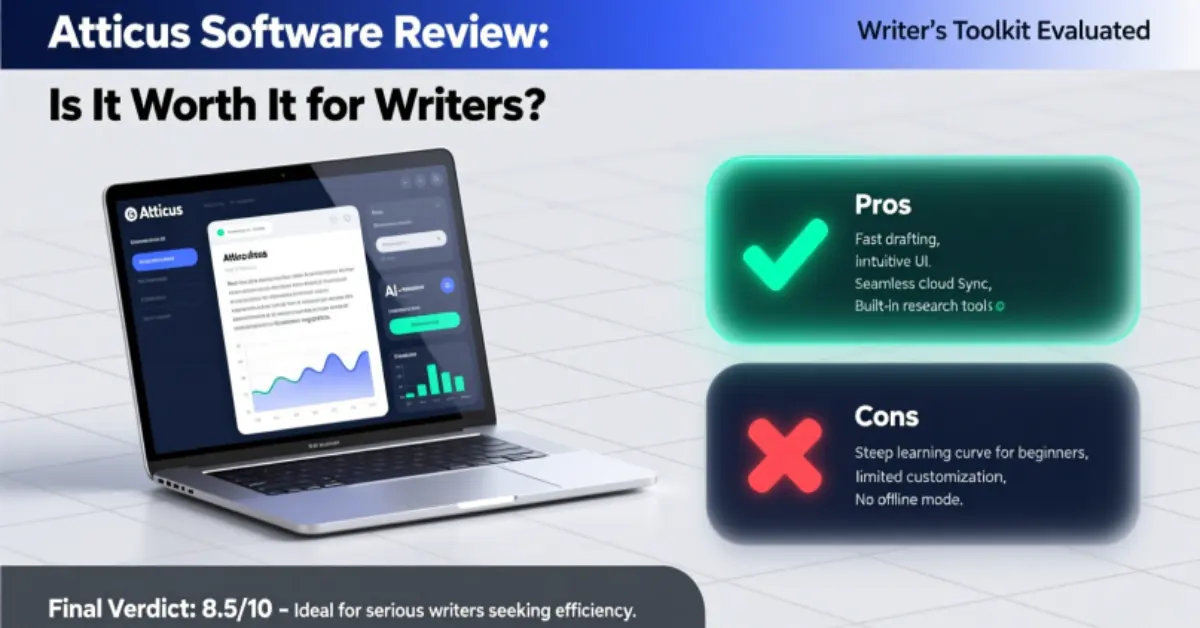
Introduction
Writing a book is hard enough without your tools working against you. Most writers know the frustration: Google Docs for drafting, a separate formatting app for print, yet another tool for eBooks – and suddenly you’re spending more time managing software than actually writing. It’s exhausting, messy, and honestly, a little demotivating.
That’s where Atticus comes in. In this Atticus Software Review, we’ll look at how this all-in-one platform attempts to simplify your writing workflow. From drafting and organizing chapters to formatting for both print and digital, Atticus promises to cut down the tech clutter so you can focus on what matters most: your story.
By the end of this review, you’ll have a clear picture of what Atticus does well, where it might fall short, and whether it’s the right fit for your writing process.
Table of Contents
What Is Atticus Software?

At its core, Atticus is designed to be more than just another writing app. It’s a platform that combines the tools authors usually juggle into one place – a space where you can draft, organize, and format your book without constantly switching between programs.
Think of it like a digital studio: you write your chapters, rearrange them with a simple drag-and-drop interface, and then format the manuscript for both print and eBook – all under the same roof. Unlike some tools that focus solely on writing or formatting, Atticus bridges that gap, aiming to save writers hours of frustration and technical headaches.
For anyone tired of bouncing between Google Docs, Word, and a separate formatting software, Atticus promises a more streamlined workflow – and in this Atticus Software Review, we’ll dig into whether it actually delivers on that promise.
May be you like it:
Top Jobs for Women in Tech – Careers That Empower
AI Tools for Lit Review – Streamline Your Research Fast
The Teacher’s Guide – Tips, Tools & Strategies for Success
Software Testing Review – Tools, Tips & Best Practices
Writing Experience in Atticus
One of the first things you notice when opening Atticus is how clean and distraction-free the interface feels. Unlike some writing apps that bombard you with menus, buttons, and confusing settings, Atticus keeps the focus where it should be: on your words.
The software also offers practical features that make writing large projects much more manageable. Chapters and sections are easy to create and rearrange with drag-and-drop simplicity. You can set word count goals, track progress, and even time your writing sessions – all without feeling like the app is judging your pace.
For example, during a weekend writing sprint, I set a 2,000-word goal and worked in 30-minute intervals. The goal tracker kept me on pace, and the clean interface helped me stay immersed in the story rather than distracted by formatting or extra tools. Little touches like this turn what could be a frustrating task into something surprisingly enjoyable.
Atticus isn’t just about writing words – it’s about making the writing process smoother and more intuitive, so you can spend more time creating and less time managing your tools.
Formatting Capabilities in Atticus
Formatting is often where writers hit the steepest learning curve – turning a finished draft into a polished, publish-ready book can feel like a full-time job on its own. That’s where Atticus really starts to shine.
The software offers both eBook and print formatting, so whether you’re publishing to Kindle, Apple Books, or a physical paperback, your manuscript can be prepared without jumping between multiple programs. You can choose from design themes tailored to different genres – from crisp, professional layouts for nonfiction guides to softer, more elegant styles for romance novels. These templates help maintain consistency and give your book a professional edge, even if you don’t have a design background.
One of my favorite features is the live preview. As you adjust chapter headings, margins, or font styles, you can see how the final product will look instantly. Exporting is just as straightforward: you can generate ePub, PDF, or print-ready files with a few clicks. It’s a small workflow change that saves hours and prevents the headaches of formatting errors at the last minute.
For writers who’ve struggled with mismatched styles, incorrect page breaks, or complicated formatting menus, Atticus provides a refreshing level of control without overcomplication.
Key Features That Make a Difference
Beyond writing and formatting, Atticus offers a set of features that genuinely improve a writer’s workflow. These aren’t just gimmicks – they’re tools designed to save time and reduce stress.
Cross-Platform Access
Whether you’re on Windows, Mac, Linux, or even a Chromebook, Atticus works consistently. No more being locked into a single operating system or hunting for workarounds just to open your manuscript on a different device. For writers who switch between home, office, or travel setups, this flexibility is a real lifesaver.
Collaboration and Cloud Sync
Atticus makes sharing and editing a team-friendly experience. You can invite editors or co-authors directly to your project, keeping everyone on the same page – literally. The cloud sync ensures that your latest draft is always available, no matter which device you’re working from. I’ve personally switched from laptop to tablet mid-draft multiple times without ever losing progress, which removes a huge layer of anxiety for busy writers.
Customizable Themes and Layout Options
From fonts and spacing to chapter styles and overall design, Atticus allows you to tweak your book’s layout without touching a complicated formatting manual. You can match your book to its genre or simply create a layout that feels right for your readers. These small adjustments can make your manuscript look polished and professional without spending hours wrestling with formatting tools.
Combined, these features help Atticus stand out as a practical, writer-centered tool – one that genuinely reduces friction between drafting and publishing.
Limitations and Drawbacks
No tool is perfect, and Atticus does have a few areas where it’s worth knowing its limits.
Sync Delays
While the cloud sync is generally reliable, occasional delays can occur when switching between devices. For most writers, it’s a minor inconvenience, but if you’re constantly hopping between laptop, tablet, and phone, it’s something to keep in mind.
Simpler Outlining Tools
Atticus focuses on clean writing and formatting, which means its outlining and project organization features aren’t as advanced as Scrivener’s. If you’re a heavy planner who loves corkboards, color-coded index cards, or intricate plot structures, you might feel the need for a supplementary tool.
Formatting Customization Limits
The software offers a solid range of themes and layout options, but extremely custom designs – like elaborate typography or intricate page layouts for specialty print editions – may be restricted. Writers who prioritize highly tailored print design might find this limiting compared to Vellum’s polished formatting options.
In short, Atticus shines as a practical, all-in-one solution for most authors, but power users with very specific formatting or outlining needs may want to supplement it with other tools.
May be you like it:
How to Write a Winning Resume for Lab Tech Roles
AI Rap Name Generator – Create Your Unique Stage Name
How to Tour Guide – Skills, Tips & Secrets for Great Tours
Top Software Therapy Reviews – Find the Best Tools Today
Atticus vs Competitors: Quick Comparison
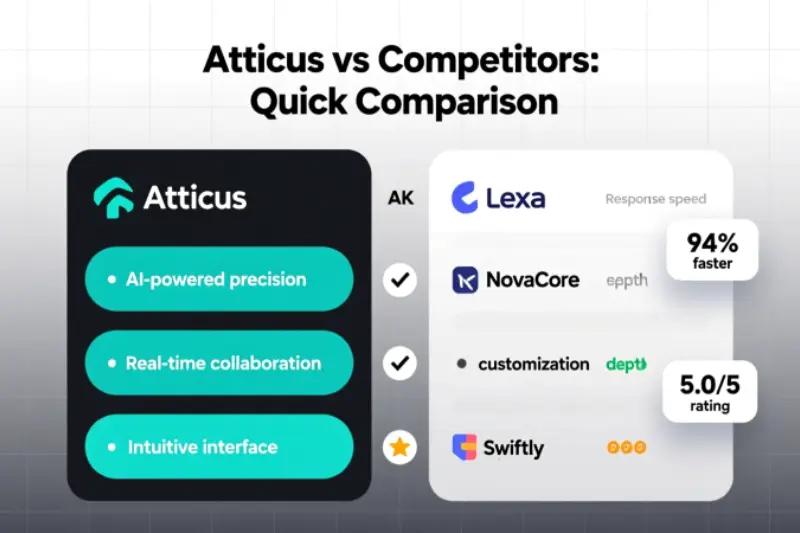
When evaluating Atticus, it’s helpful to see how it stacks up against the tools many writers already know.
Vellum
Vellum is widely praised for its polished formatting options, making books look exceptionally professional. The downside? It’s Mac-only. For writers on Windows, Linux, or Chromebook, Vellum simply isn’t an option. While Vellum’s designs are beautiful, it lacks the cross-platform flexibility that Atticus offers.
Scrivener
Scrivener is a powerhouse for planning and outlining. Its corkboard and scene organization tools are unmatched for complex projects. However, Scrivener can feel intimidating to new users, and its formatting capabilities are less intuitive – making the final book preparation a separate headache.
Where Atticus Fits
Atticus strikes a balance between simplicity and functionality. It’s not as design-polished as Vellum, nor as feature-heavy as Scrivener, but it covers the essential needs of most writers: cross-platform access, intuitive drafting, chapter management, and professional formatting. For authors who want a single tool to handle writing and publishing without steep learning curves, Atticus offers a practical middle ground.
Who Is Atticus Best For
Atticus isn’t meant to replace every tool a writer might use, but it shines for a specific group of authors.
Ideal Users
- Self-Publishers: If you manage multiple books a year, Atticus streamlines both writing and formatting, saving valuable time.
- Multi-Device Writers: With cross-platform access and cloud sync, you can switch seamlessly between laptop, tablet, or Chromebook without worrying about lost drafts.
- Minimalist Interface Lovers: For writers who prefer a clean, distraction-free workspace, Atticus keeps the focus on the words, not the menus.
Who Might Prefer Other Tools
- Heavy Plotters or Outliners: Writers who rely on intricate corkboards, color-coded scene cards, or advanced story mapping may miss Scrivener’s robust planning tools.
- Design-Focused Authors: Those who want ultra-custom print layouts or highly polished formatting might lean toward Vellum, especially if they’re on Mac.
In essence, Atticus works best for writers who want a practical, all-in-one solution that reduces friction in the writing-to-publishing workflow, without overwhelming complexity.
Pricing and Value
One of the biggest considerations for any writing tool is cost – and here, Atticus takes a refreshing approach. Unlike many platforms that rely on monthly or yearly subscriptions, Atticus is offered as a one-time payment. This alone sets it apart from alternatives that can quietly drain your budget over time, especially if you’re producing multiple books a year.
From a value perspective, consider what it replaces: a writing app, a formatting tool, and possibly a subscription to a cloud sync service. For authors who publish frequently, the one-time fee can pay for itself after just one or two projects.
Even for writers producing fewer books, the simplicity of a single purchase – without worrying about recurring payments or hidden upgrade costs – adds peace of mind. It’s a practical investment for anyone serious about self-publishing, giving you professional features without the ongoing financial stress.
FAQs
What is Atticus software?
Atticus is an all-in-one writing and formatting tool that helps authors draft, organize, and prepare their books for eBook and print publishing.
Which platforms does Atticus support?
It works on Windows, Mac, Linux, and Chromebook, making it accessible across most devices.
Can I collaborate with others in Atticus?
Yes! You can invite editors or co-authors, and the cloud sync keeps everyone working on the latest version.
Is Atticus good for beginners?
Absolutely. Its clean interface and intuitive features make it easy for both new and experienced writers to start publishing quickly.
How does Atticus compare to Vellum or Scrivener?
Atticus balances writing and formatting in one tool, while Vellum excels in Mac-only polished formatting, and Scrivener is better for complex outlining.
Conclusion and Takeaways
After using Atticus across multiple projects, the verdict is clear: for most writers, it’s worth trying. It doesn’t promise to write your book for you, but it does remove a lot of the friction between drafting, organizing, and formatting. By combining these steps into a single, clean platform, Atticus helps you focus on what really matters – your story.
Ask yourself this: Would your writing life feel simpler if everything lived in one place? If the answer is even a hesitant “maybe,” it’s worth exploring.
The best way to know is to test it for yourself. Dive in, experiment with the writing interface, play around with formatting themes, and see how it fits your workflow. For many authors, that small step can transform a fragmented, frustrating process into a smoother, more enjoyable journey from draft to published book.
May be you like it:
Armour Tech Pavers – Durable & Stylish Outdoor Solutions
Top AI Tools Transforming Work in 2025
Fishing Guides Lake Conroe TX – Expert Tips & Local Trips
